
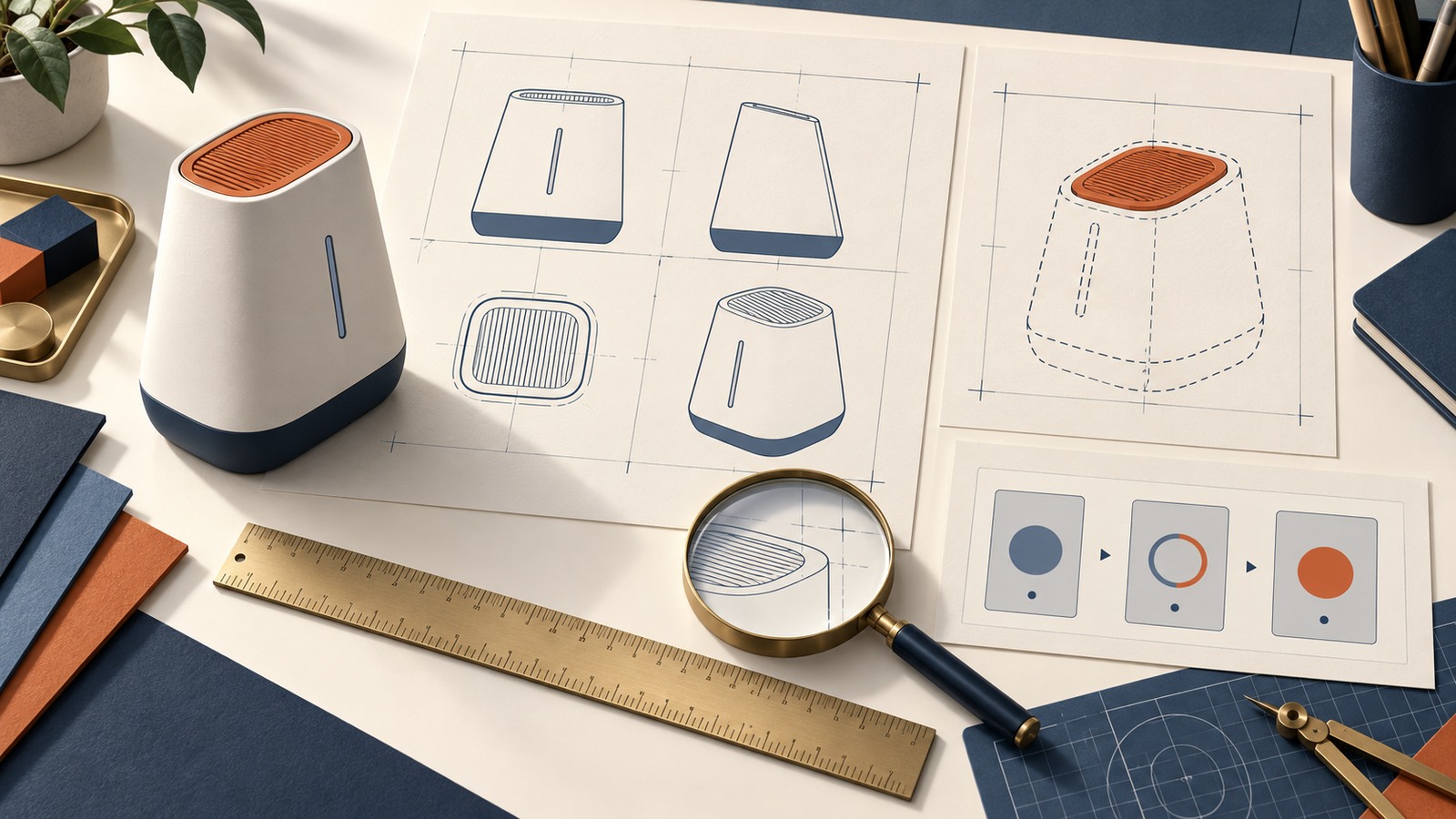
For a China design patent application, the drawings or photographs are not supporting decoration. They identify the product design for which protection is sought and are central to the scope of the patent. A strong filing package therefore begins by deciding exactly what appearance to claim, then presenting that design through a clear and internally consistent set of views.
The practical answer is simple: freeze the correct product version before filing; choose between a whole-product design, a partial design, or a graphical user interface (GUI) design; decide whether color is part of the claim; and make every view agree. Do not assume that a standard six-view export, a set of marketing renders, or a foreign filing package can be submitted unchanged in China.
Why the view set matters in China
Article 27 of China’s Patent Law requires an application for a design patent to include a request, drawings or photographs of the design, and a brief explanation. The submitted images must clearly show the product design for which protection is sought. Article 64 further provides that the scope of a design patent is determined by the product design shown in the drawings or photographs; the brief explanation may be used to explain that design.
This has two consequences for a filing team:
What appears in the views matters. Contours, openings, surface patterns, claimed portions, color and GUI states can affect what the application communicates.
What changes between views also matters. Inconsistent proportions or details can create uncertainty about whether all images depict the same design.
The brief explanation helps the examiner and later readers understand the images, but it is not a substitute for a view that fails to show the design clearly.
Choose the filing type before preparing final drawings
Use the product’s commercial objective to choose the view strategy.
Whole-product design: use this route when the overall visual appearance of the product is the intended subject of protection.
Partial design: use this route when an eligible part of the product, such as a handle, edge treatment, control panel or other portion, is the intended subject while the surrounding product provides context.
GUI design: use this route when the visual interface applied to a product is the intended subject. Static and dynamic interfaces require different view planning.
Similar designs or a set of products: consider this only after comparing the variants, the applied product and the applicable grouping rules. It should not be used merely because several designs belong to the same project.
A product family may justify more than one filing strategy. For example, a company may assess the whole shape of a device, a distinctive detachable part, and its GUI as separate subjects. That is a filing-scope decision requiring a design-specific review, not an automatic recommendation to file all three.
Whole-product drawings: show enough, not a mechanical number
There is no safe rule that every product always needs exactly six orthographic views. The correct set depends on the product’s form, the design features and which surfaces are normally visible in use.
For a three-dimensional product, the current CNIPA examination guidance explains that a face cannot be omitted merely because it does not contain the principal design feature. An orthographic or perspective view may be used where appropriate. A face that is not readily visible during normal use may be omitted when the design can still be shown clearly, with the reason stated in the brief explanation.
Before finalizing a whole-product set, check that:
front, rear, left, right, top and bottom features are shown whenever needed to disclose the appearance;
a perspective view is included when it materially clarifies the three-dimensional form;
every seam, aperture, button, edge and surface pattern appears in the same location and proportion across views;
the background is clean and does not merge with the product outline;
shadows, reflections and perspective distortion do not obscure the design;
no unapproved accessory, packaging element, hand, stand or environmental object appears as if it were part of the product; and
any omitted view is legally and technically justified rather than omitted for convenience.
Line drawings and photographs can both be used under Article 27. Whichever format is chosen, the series should communicate one coherent design. Marketing images are often poor filing materials because dramatic lighting, shallow depth of field, props and inconsistent angles may hide or change product features.
Partial designs: distinguish the claimed part from its context
China’s current rules expressly allow protection for an eligible partial design. Rule 30 of the Implementing Regulations requires a partial-design application to submit a view of the overall product and to indicate the part for which protection is sought by a combination of solid and broken lines or by another method.
The CNIPA examination guidance adds practical detail:
the product name should identify both the relevant part and the overall product;
the overall-product view should show the position and proportion of the claimed part;
solid lines ordinarily indicate the claimed portion and broken lines the other portions;
other clear presentation methods, including a semi-transparent overlay, may be used where appropriate;
a boundary line may be needed when the dividing line between claimed and unclaimed areas is otherwise unclear; and
if the claimed portion includes a three-dimensional shape, a perspective view should be submitted so that the shape can be understood.
Apply the claimed-versus-unclaimed convention consistently in every relevant view. A boundary that shifts, a broken line that becomes solid, or a component that changes size can make the filing ambiguous. Confirm that the selected portion is commercially meaningful and visually identifiable on the actual product; a partial-design drawing is not merely a way to circle an idea.
GUI designs: show the applied product and the change sequence
CNIPA’s 2025 application guide for products involving graphical user interfaces describes several presentation routes for GUI designs. The chosen product name should identify the specific GUI function and the product to which the interface is applied. Depending on the filing route, the application may show the GUI with the product, show a partial design, or use the current GUI-specific presentation permitted by the guidance.
For a static GUI, prepare enough material to identify the interface, its relationship to the applied product and the claimed visual features. If the GUI is too small in an overall-product view, an enlarged view or a GUI-only image may be used as permitted to make the content clear.
For a dynamic GUI:
use the starting state as the main view;
provide the subsequent state views in the correct order;
make the transition sequence understandable from the images and brief explanation;
keep unchanged elements consistent from state to state; and
consider whether the official guidance permits or calls for supplementary video material for a complex change process.
Do not let placeholder copy, real customer data, third-party logos or an operating-system status bar create unintended visual content. Use a controlled, non-confidential interface build and confirm whether text, icons, color, animation frames and the device context form part of the intended design.
Decide whether color is claimed
Color should be a deliberate claim decision, not an accidental result of exporting a rendering. Under Rule 30, an applicant seeking protection for color must submit color drawings or photographs. Rule 31 requires the brief explanation to state that color is claimed.
Before choosing color, ask whether the commercial value lies in the shape or pattern regardless of color, in a specific color combination, or in both. Then make the images and explanation follow that decision. Check color consistency across every view and use a managed source file; different screens, render profiles or photo lighting can make the same product appear to have different colors.
Prepare the brief explanation with the images
Rule 31 states that the brief explanation should include the product name and use, the essential design features and a view that best shows those features. It also addresses omitted views, color claims, similar designs and partial designs. The explanation must not contain promotional language or describe product performance.
Draft the brief explanation while reviewing the views, not after the images have been finalized in isolation. Confirm that it:
uses a product name that matches the depicted item and the selected filing route;
describes the product’s use without marketing claims;
identifies the essential design features without attempting to rewrite the images;
identifies the view that best shows those features;
states any permitted omitted view and the reason;
states a color claim when applicable;
identifies the base design when similar designs are filed together; and
describes the claimed portion for a partial design unless the presentation method already makes it clear as permitted by the rules.
Avoid statements about technical performance, market superiority, quality or expected consumer response. Those statements do not belong in the statutory brief explanation.
Run a cross-view consistency audit
A useful drawing review is a feature-by-feature comparison rather than a quick visual scan. Create a checklist for each visible element and compare it across all applicable views.
Check at least the following:
Overall proportions: height, width, depth, curvature and relative component size.
Geometry: corners, ribs, holes, vents, buttons, seams, screens, feet and connectors.
Surface treatment: patterns, ornamentation, texture indicators and transparent areas.
Claim boundaries: solid lines, broken lines, boundary lines and overlays.
Color: hue, placement and whether the claim decision is stated consistently.
GUI states: layout, icons, sequence, unchanged elements and applied-product context.
View labels and orientation: each image should correspond to the stated direction or state.
Product version: every image must depict the same approved version unless the application intentionally contains eligible similar designs.
The final packet should also be compared with CAD files, physical samples and approved product specifications. A drawing set can be internally consistent yet still depict an obsolete prototype.
Compare the China drawings with any priority filing
China’s Patent Law provides a six-month foreign-priority period for a qualifying design application, subject to the statutory conditions. The applicant makes the written priority claim at filing and generally submits a copy of the first application within three months.
Before relying on priority, compare the China view set with the first-filed application image by image. Do not treat the six-month period as permission to redesign the filing package. Article 33 provides that amendments to a design patent application may not extend beyond the scope shown in the original drawings or photographs. Adding a missing surface, changing a claimed boundary, replacing a GUI state or inserting a new feature later may raise a new-matter problem and may also affect the priority analysis.
Record the first application number, filing date, applicant, product name, exact images and priority-document status. If the China images differ, identify every difference before filing and obtain a specific assessment of its effect.
Similar designs and product sets require a separate grouping review
Article 31 of the Patent Law allows certain similar designs of the same product, and certain designs for products in the same class that are sold or used in sets, to be filed in one application. Rule 40 limits similar designs in one application to ten.
The numerical limit is not the eligibility test. Before grouping, confirm that the designs concern the same product where required, that their visual differences fit the applicable similarity framework, and that any product set satisfies the class and customary sale-or-use conditions. For GUI designs, pay particular attention to whether the interfaces are applied to the same product and whether the variants are truly similar.
Name the base design and keep the views for each variant complete and consistent. If grouping is doubtful, do not force unrelated variations into one application merely to reduce the number of filings.
Common drawing mistakes to catch before filing
Submitting attractive marketing renders that hide edges or add environmental content.
Mixing CAD versions so a port, seam, radius or component moves between views.
Using broken lines inconsistently in a partial design.
Claiming a three-dimensional portion without a view that clearly shows its shape.
Showing a GUI at an unreadable scale or omitting the starting state of a dynamic sequence.
Letting real names, messages, third-party icons or confidential data appear in GUI screens.
Accidentally making color part of the presentation without deciding whether it should be claimed.
Assuming the brief explanation can cure an unclear or contradictory image.
Reusing a foreign filing packet without checking China’s current presentation rules.
Planning to add missing subject matter after filing even though amendments cannot go beyond the original images.
A filing-ready drawing package
Before instructing a China filing, the business and its counsel should be able to assemble:
the intended applicant and product name;
the selected route: whole product, partial design, GUI, similar designs or product set;
a version-controlled master drawing or photo set;
a statement of the features intended to be protected;
the color-claim decision;
the brief explanation and best-view selection;
a completed cross-view consistency check;
first foreign filing and priority-document details, if applicable;
a dated disclosure log covering websites, sales pages, trade shows, samples and presentations; and
the launch deadline, filing budget and countries in the filing plan.
For an initial inquiry, send identifying information, the product category, public product links, filing and disclosure dates, the priority deadline, budget and business deadline. Do not send a complete unpublished design or technical file until conflict and confidentiality arrangements have been addressed.
Frequently asked questions
Does every China design patent application need six views?
No. The view set must clearly disclose the design. The required views depend on the product, the claimed features and which faces are visible in normal use. A mechanical six-view rule may produce both unnecessary and missing material.
Can I use photographs instead of line drawings?
Article 27 permits drawings or photographs. The chosen format must show the design clearly and consistently. Reflections, backgrounds and perspective distortion often make ordinary product photos unsuitable without careful preparation.
Can a handle, screen surround or product edge be protected by itself?
An eligible part of a product can be the subject of a partial-design application. The application must show the overall product and clearly distinguish the claimed part from the contextual portions under the current rules.
Can a GUI be filed without showing the full device?
Current CNIPA guidance provides GUI-specific presentation routes, but the product name, applied product, claimed content and required views still matter. Choose the route only after reviewing the actual interface and filing objective.
Can missing views be added after filing?
Only within the limits on amendments. Article 33 does not allow an amendment to extend beyond the scope shown in the original drawings or photographs. A missing surface or new design feature may therefore be impossible to add safely.
Can ten product variants always be placed in one application?
No. Ten is the maximum for eligible similar designs in one application under Rule 40, not an automatic entitlement to group any ten variants. The same-product and similarity requirements still apply.
Does a clear drawing set guarantee that the patent will be granted or valid?
No. Clear and consistent drawings are necessary for a sound filing, but patentability, prior designs, earlier rights, priority, procedure and later validity must also be assessed.
Plan the drawing review before the product reveal
Our China design patent service covers filing-scope and drawing preparation issues for product and GUI designs. For broader protection planning, see our China patent services. U.S. law firms and IP agencies can coordinate instructions through our China foreign-associate service.
Official sources
CNIPA: Patent Law of the People’s Republic of China, 2020 amendment
CNIPA: Implementing Regulations of the Patent Law, 2023 revision
CNIPA: Interpretation of the 2023 Patent Examination Guidelines
CNIPA: 2025 Guide for Design Patent Applications Involving Graphical User Interfaces
Sources were checked on September 16, 2026. This article provides general information, not a legal opinion on patentability, priority, filing scope, infringement, validity or a specific drawing set. Filing does not guarantee patent grant, validity or an enforcement result.